
End-to-end website redesign
Bing Places for Business: Modernized experience for managing business listings
We redesigned Bing Places for Business, the platform used to create and manage business listings in Bing.
Context
The Bing Places for Business Portal needed a refresh.
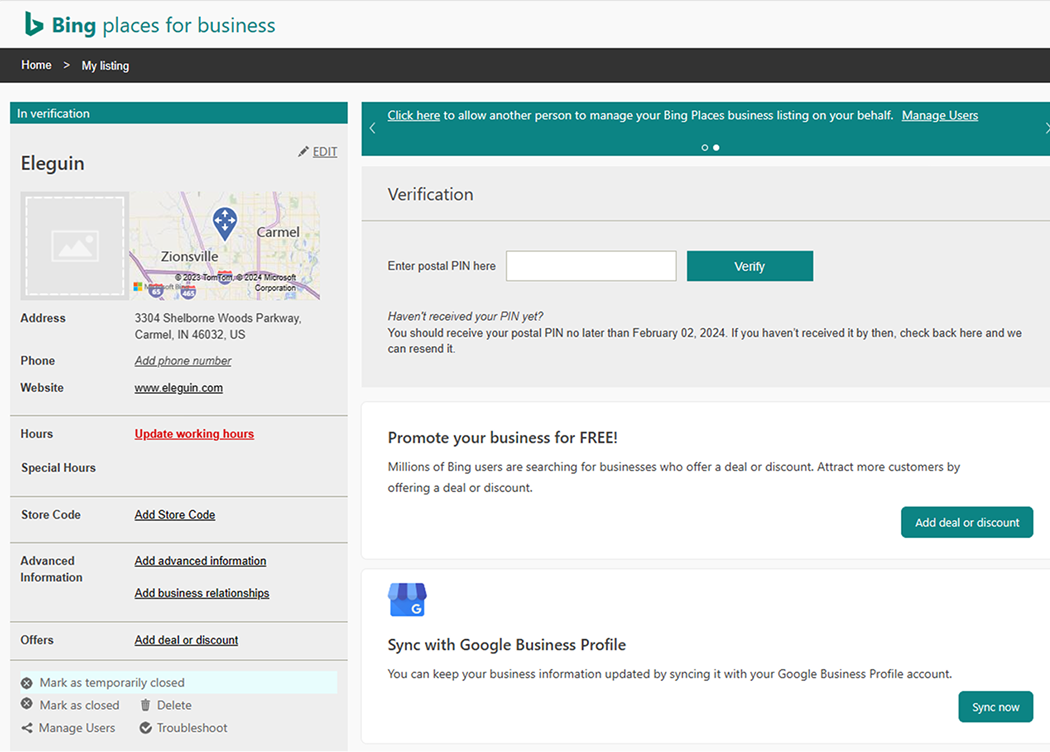
This was the Bing Places for Business portal in 2024. It's where business owners create and manage business listings that appear on Bing search engine and maps results.
Problem
Business owners don't see the value in connecting with Bing Local Search users. Additionally, the current site was outdated, difficult to use, and impersonal.
Opportunity
Offer an effortless platform that helps small business owners see the value of placing their listing on Bing, understand listing trends, and optimize them to attract new online customers.
Goals
Customer goals
Easily view and understand the performance of their listing(s)
Seamlessly enhance and curate listings across various platforms
Gain more online leads
Increase sales by increasing business awareness
Business goals
Improve adoption and usability
Increase no. of users from 2.5 to 10 million
Upsell MSFT Ads, Clarity, and Webmaster tools
Preliminary Research
We needed to understand the current pain points to inform what to prioritize in the platform redesign.
Themes in opportunities
Modernize and build trust
Guide small business owners toward success
Reduce friction
Jamming with the Product Team
Early stakeholder involvement gave us quick alignment and the right perspectives to shape user needs and solutions.
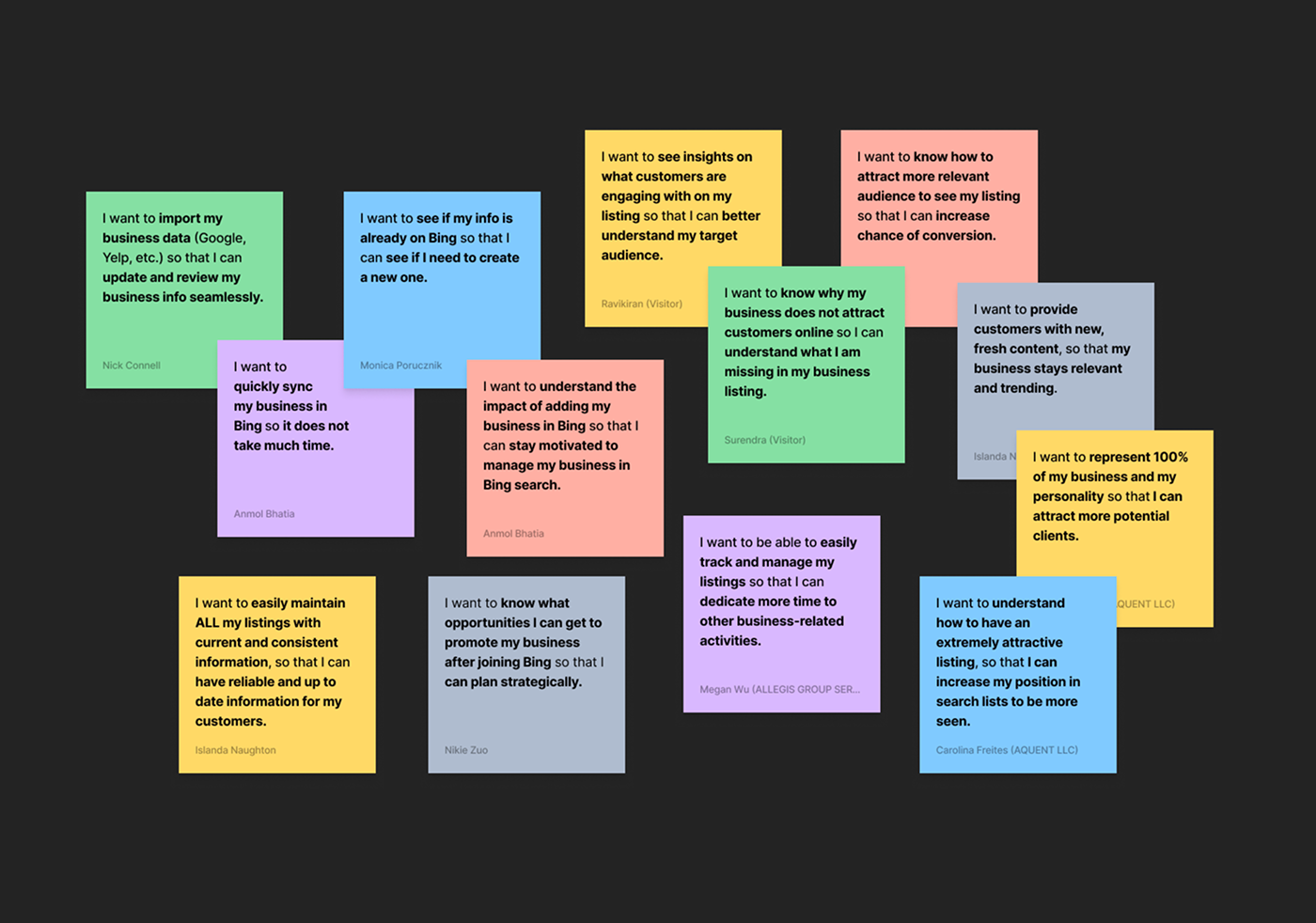
I want to ... [motivation] so that I can ... [desired outcome]. Stakeholders involved: Designers, Product Manager, Researcher, Data Scientist, Engineers, UX Writer.
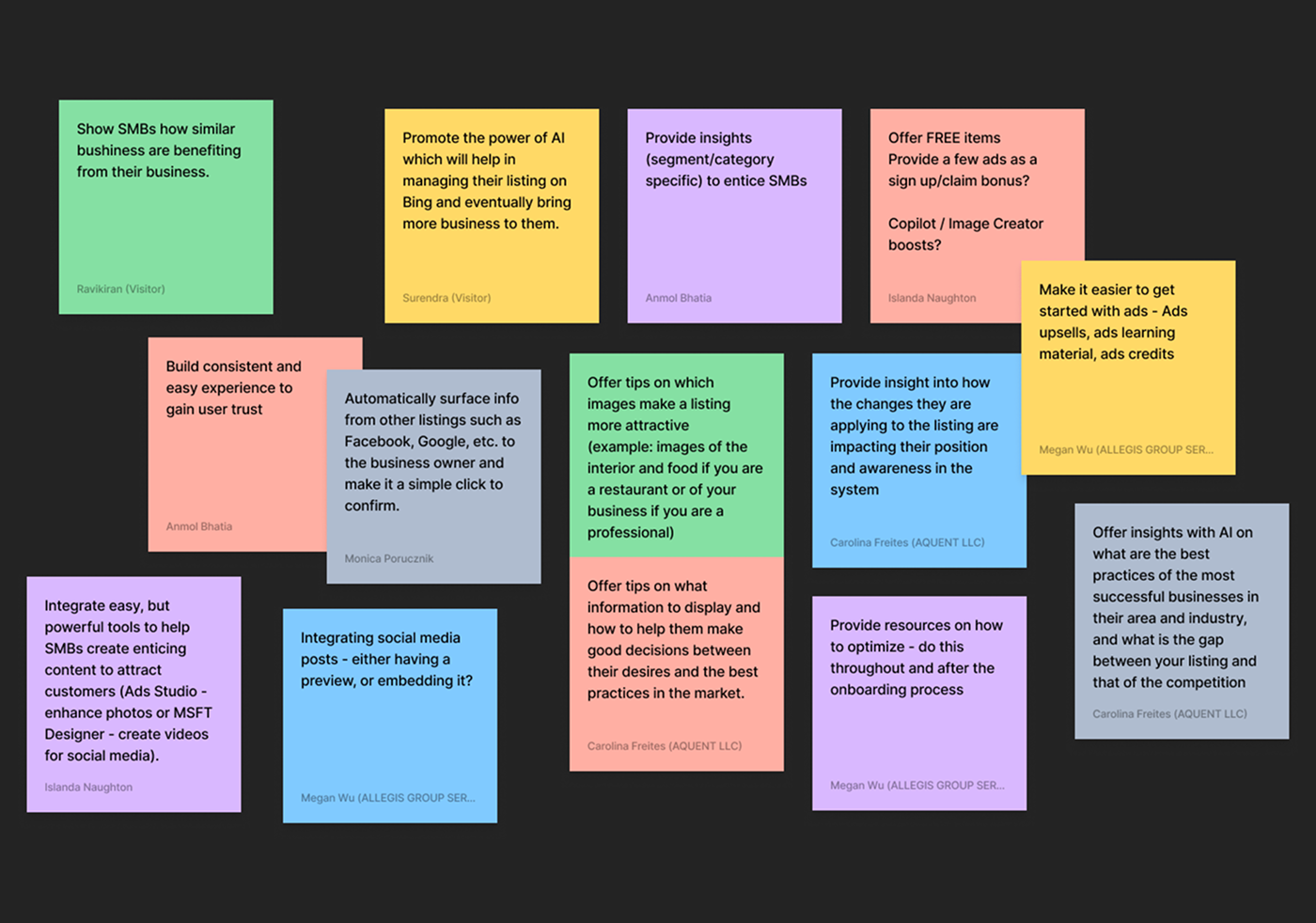
How might we offer value to business owners? Stakeholders involved: Designers, Product Manager, Researcher, Data Scientist, Engineers, UX Writer.
Management Portal: Designs and Usability Tests
The listing management portal is where the bulk of the UX complexity lies, and where we have the greatest opportunity to guide users with tips and recommendations that reduce friction in their listing management. We wanted to understand which layout performed best and whether the new features effectively addressed their pain points.
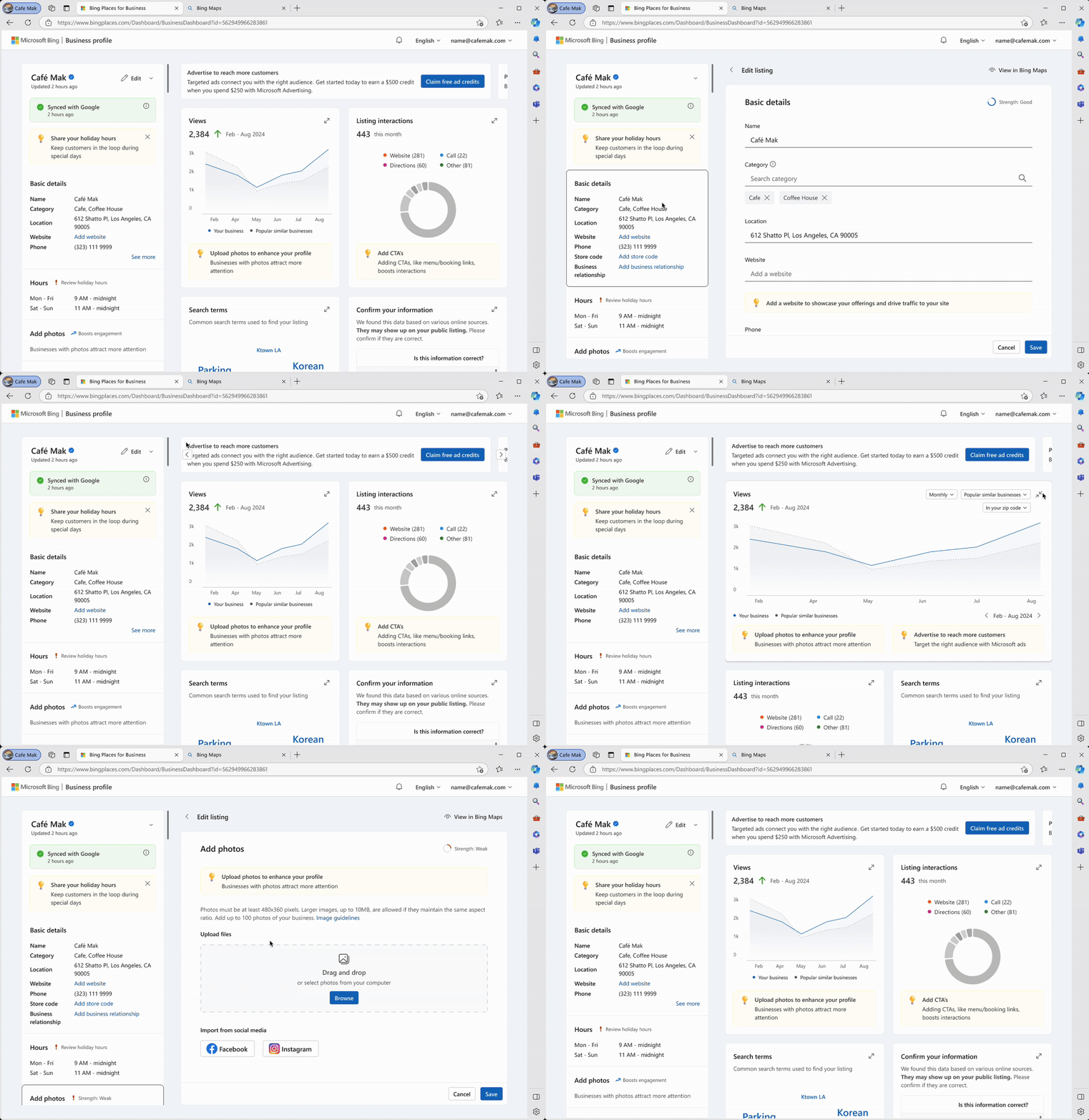
Prototype A. Presents listing details and analytics upfront, creating a more information-dense view that let users see key details immediately.
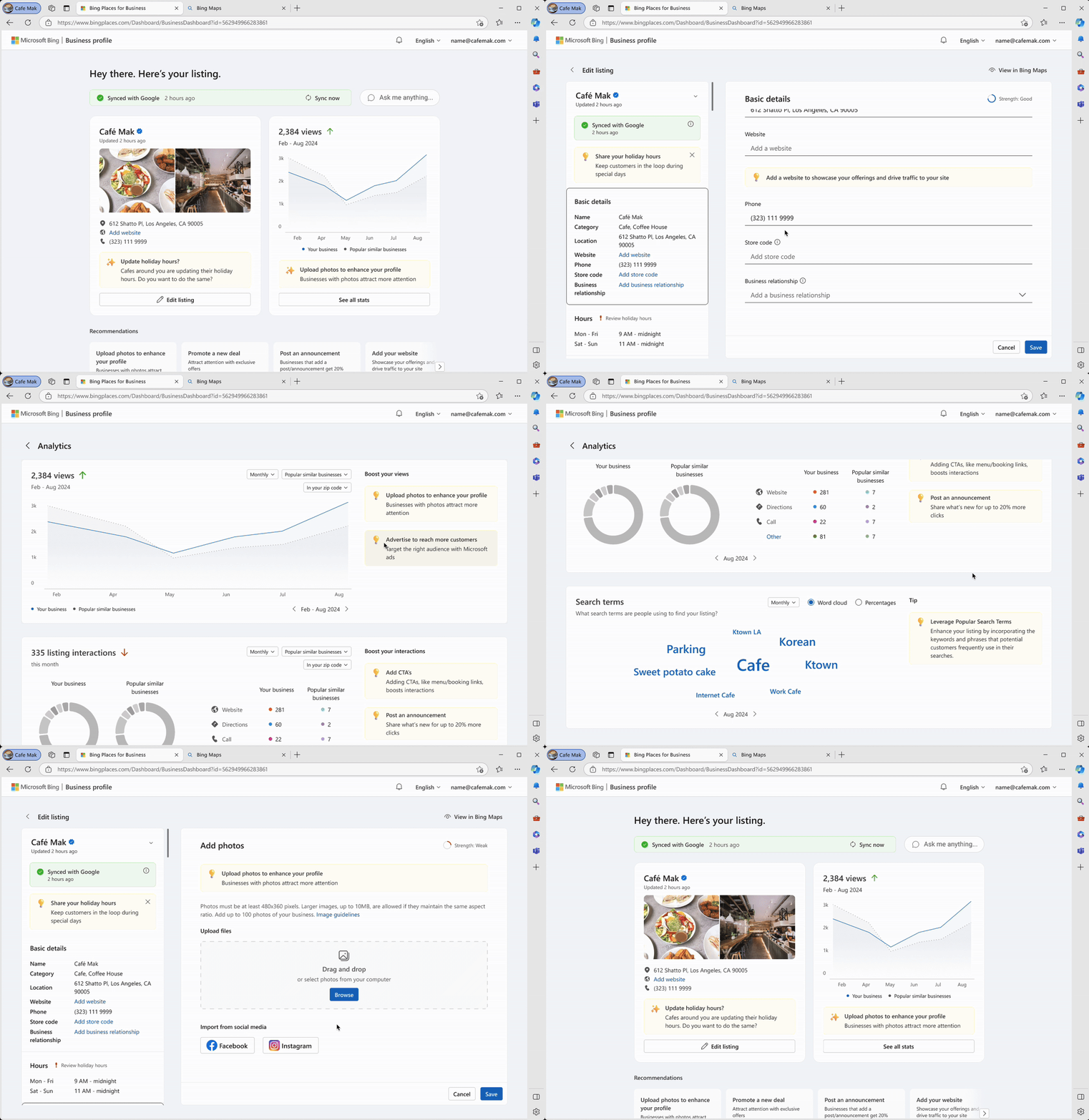
Prototype B. Intentionally surfaces less information, emphasizing actionable and recommended items to give users a quick, gainable overview while guiding their attention toward next steps.
Findings
67% of participants preferred A over B
They liked that they could see everything at a glance and fewer clicks are required - it "feels more efficient". Participants valued seeing the analytics clearly on the initial screen.
Participants like having personalized insights
All participants loved the analytics and valued the contextual tips to help improve their listing.
The listing edit flow was intuitive
None of the participants had issues editing. All understood and welcomed AI assistance.
Desire to personalize listings
Participants wanted the ability to include more details, especially unique attributes of their business.
Final Designs
Final Designs
Homepage
Address goals and real needs, not product features. The homepage needed to clearly communicate the value of listing a business on Bing. We focused on highlighting audience reach, the tools available to help business owners expand their visibility, and the insights that help them understand performance.
Simplified Onboarding
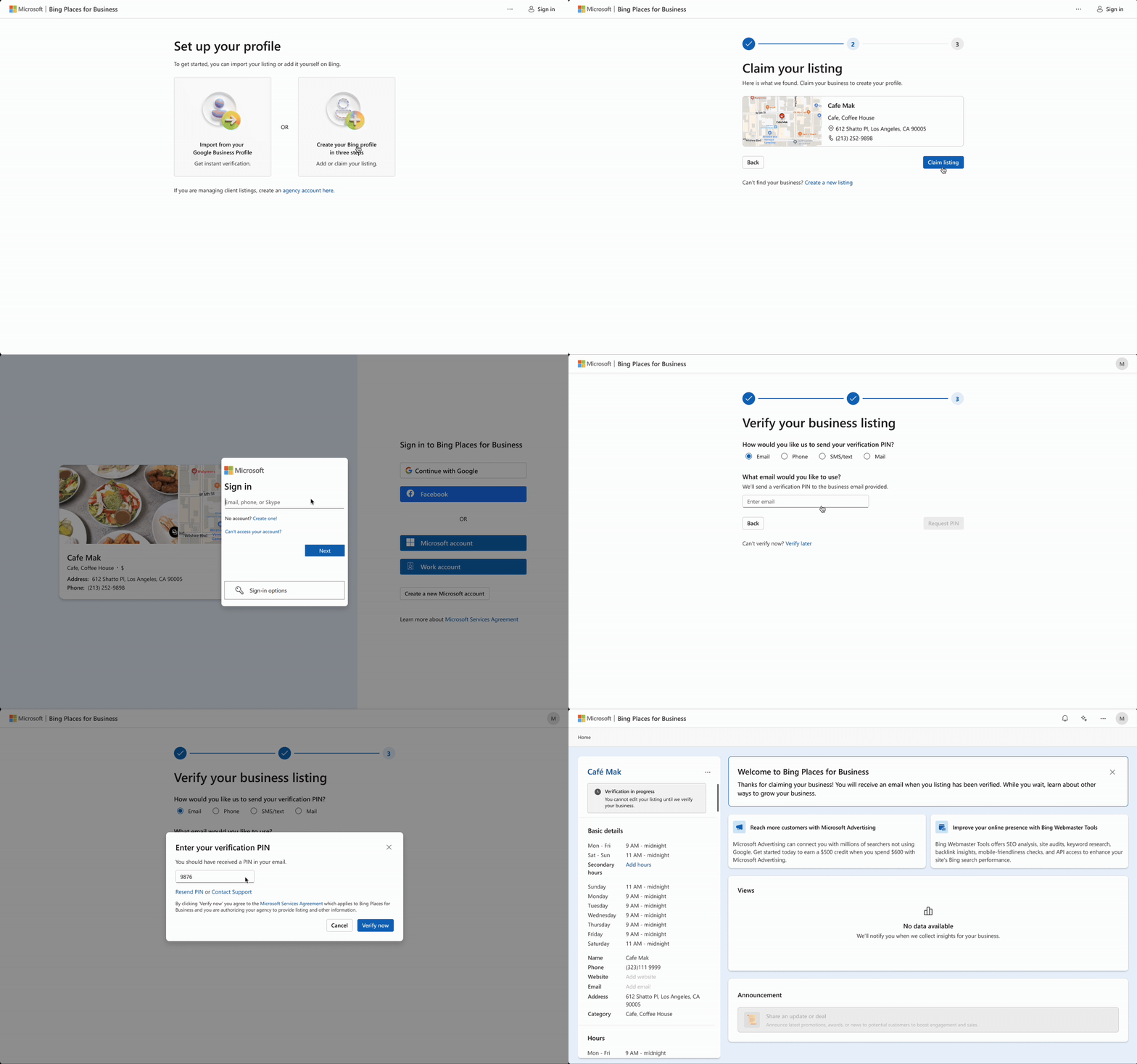
Shift non-essential fields to post-onboarding. We cut the onboarding process from 24 steps to 7. 5 out of 5 participants rated the onboarding paths 5 (very easy). "Streamlined" · "Quick and easy" · "Very user-friendly"
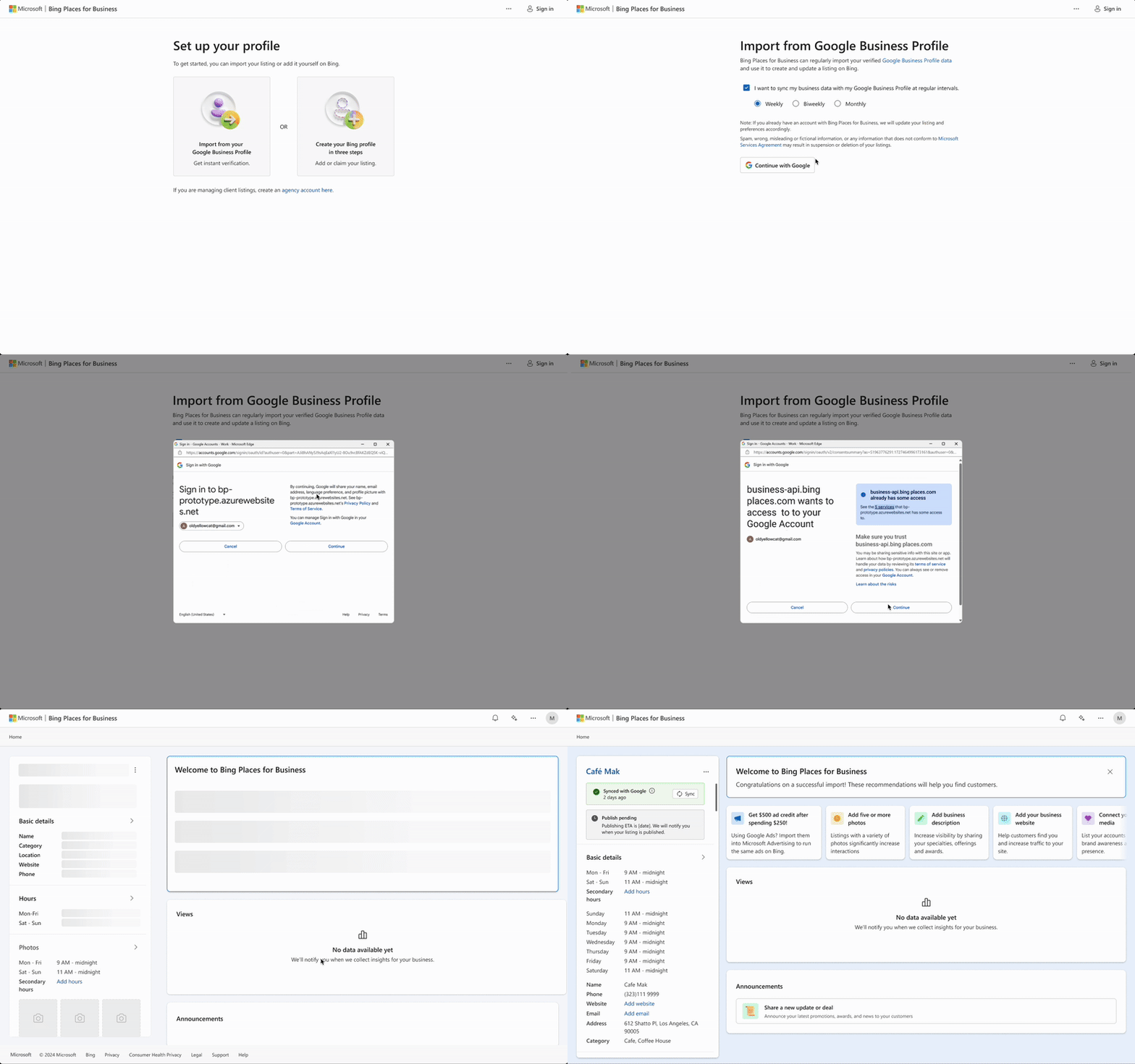
Make it as easy as possible to sync with Google. 4 out of 5 participants preferred importing their listings from Google. We reduced friction in that import flow to make the process faster and more reliable. "Easier and faster" · "More convenient"
Management Portal
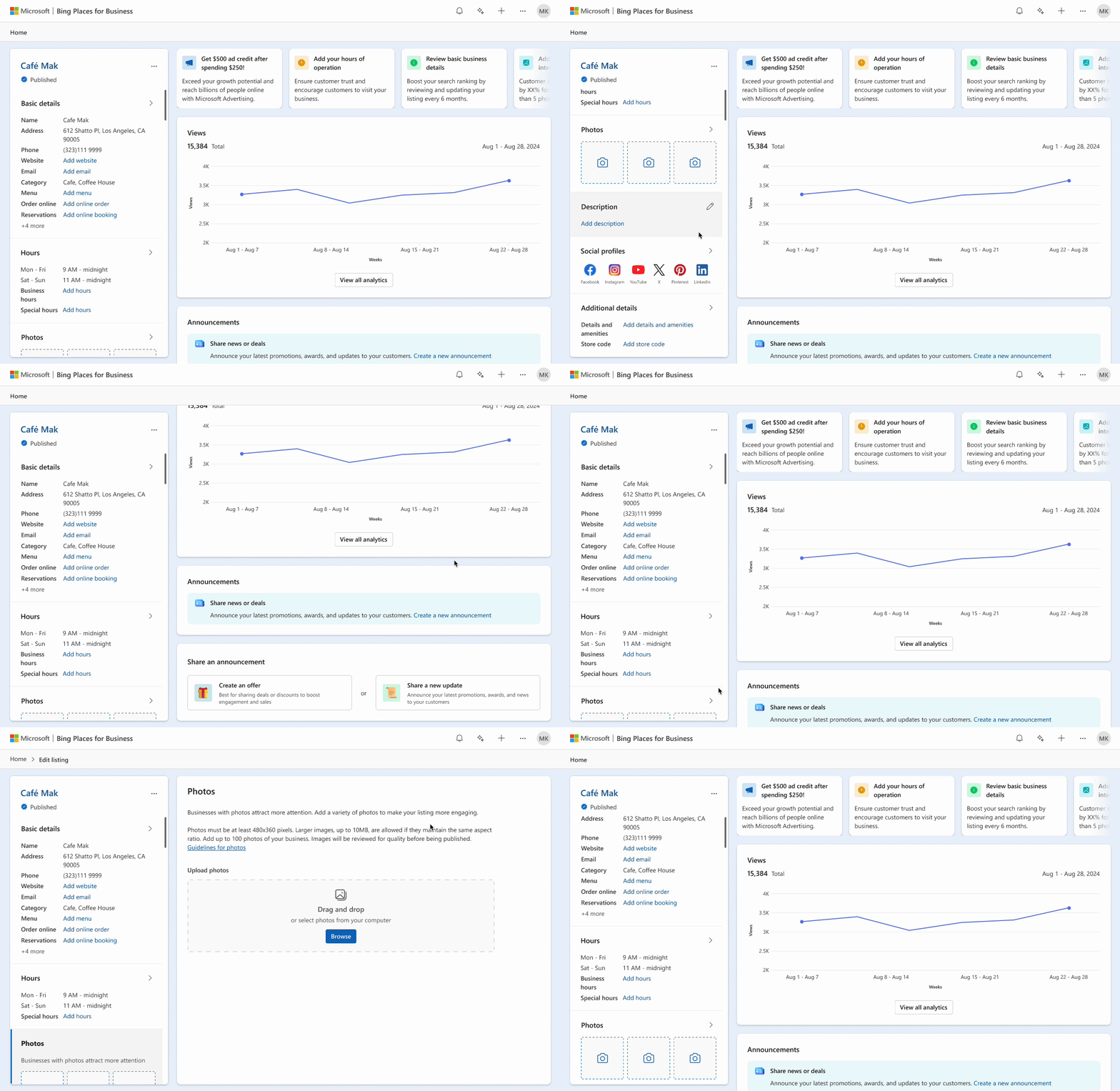
Surface listing details and analytics upfront. Based on the initial user study, we chose a dashboard layout that gave users an immediate view of their business and performance. 3 out of 5 participants preferred this dashboard over Google Business Profile. "Intuitive, straightforward" · "Cleaner, less cluttered" · "More comprehensive"
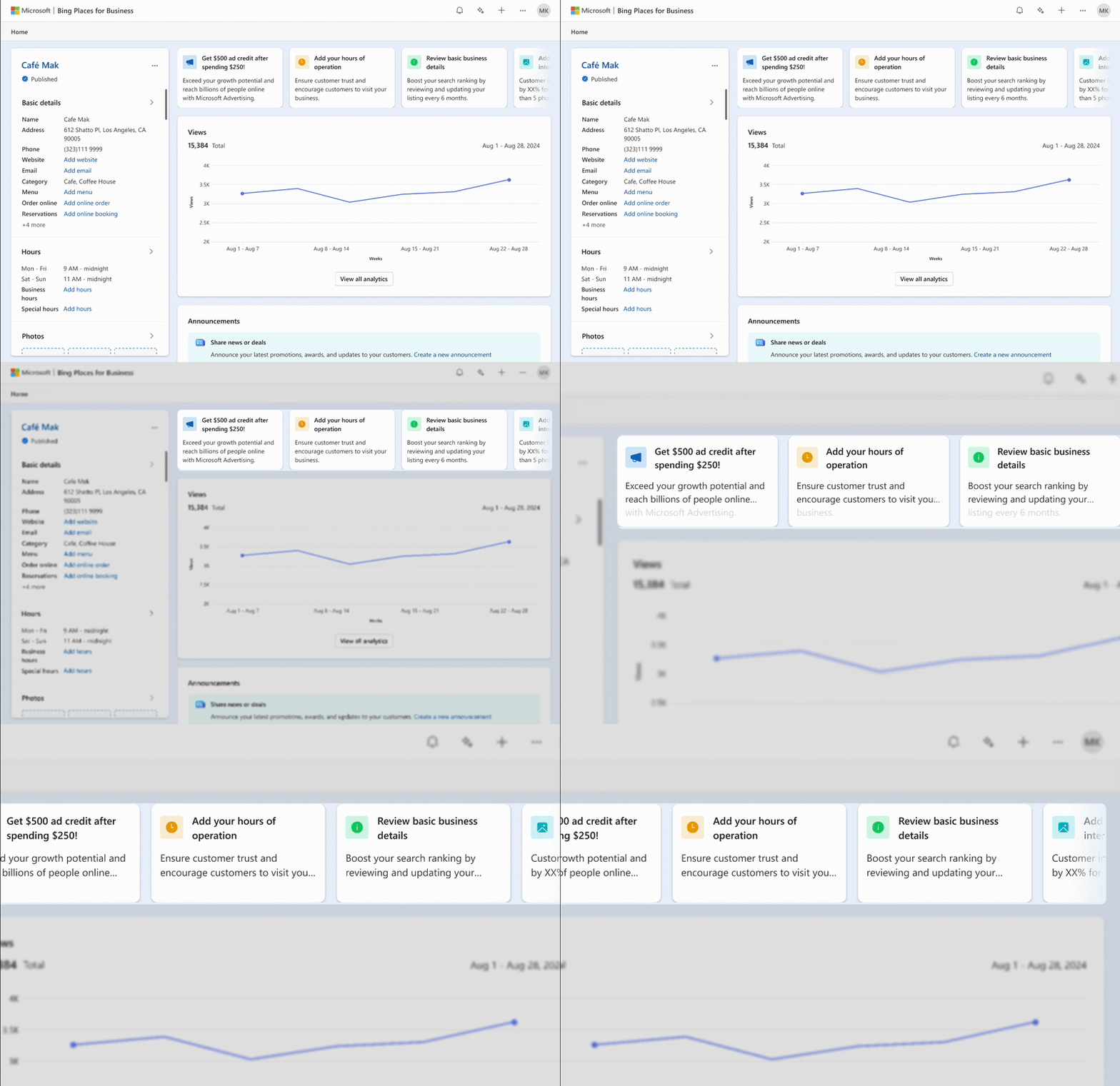
Provide a prominent, predictable place for actionable recommendations. An action bar created a consistent place to surface listing-specific recommendations for guidance on how to improve their listings and drive traffic.
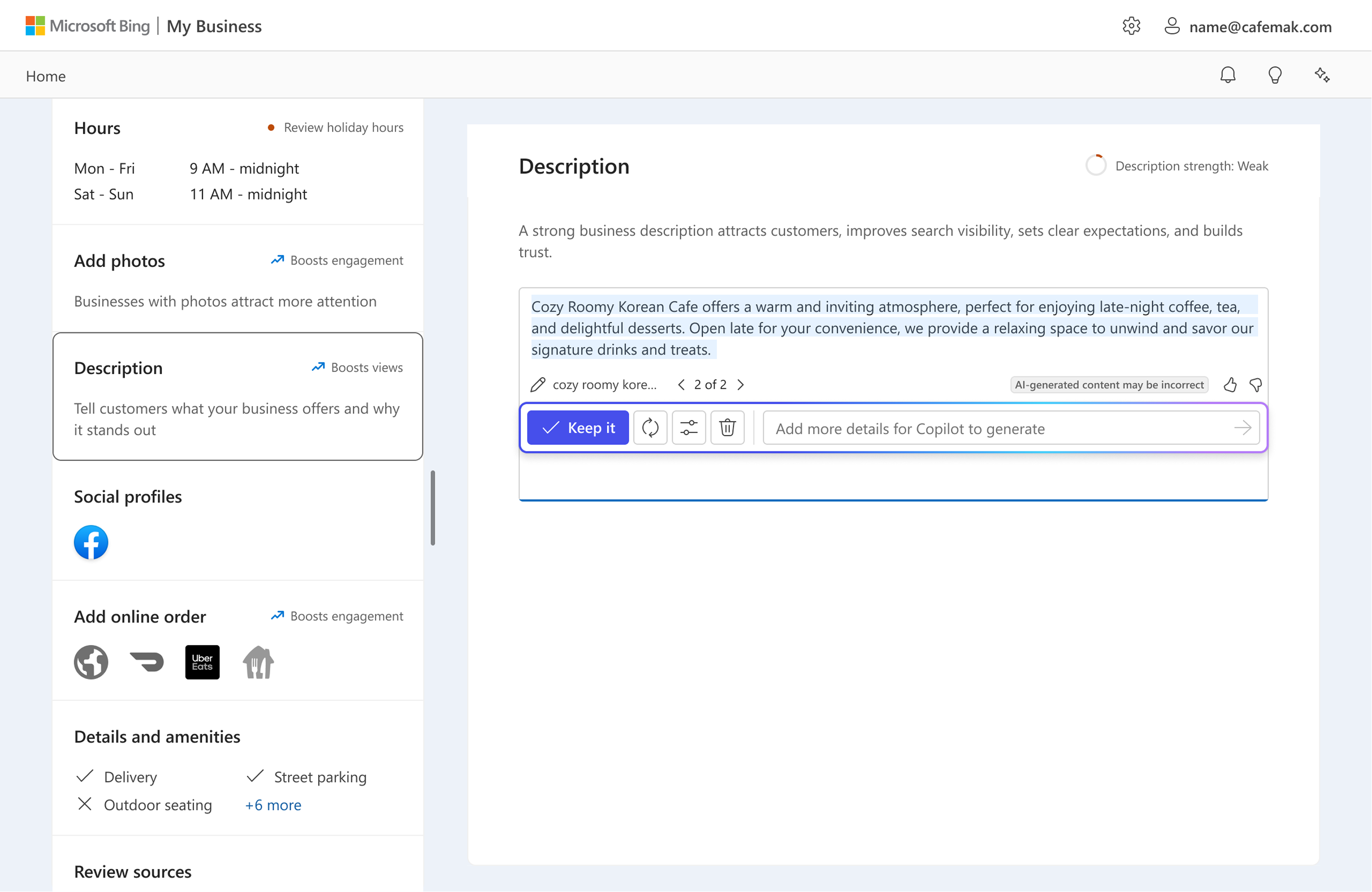
Provide contextual tools and recommendations to optimize their listing. The business description section lets users leverage Copilot to craft a strong, effective description, while also giving them feedback on its quality and completeness.
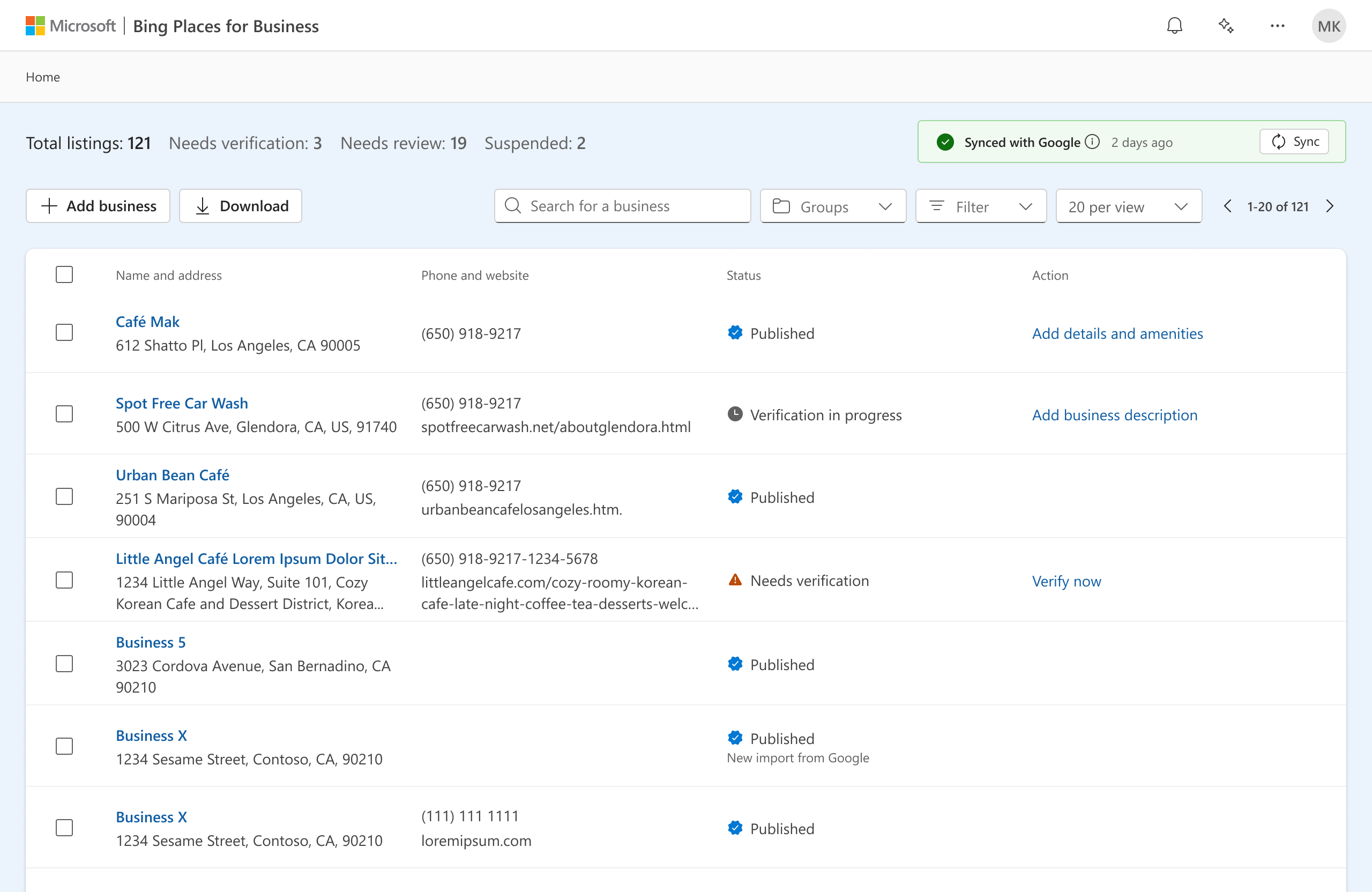
Multi-listing page. For accounts with multiple listings, the multi-listing page allows users to sort and search their listings while surfacing the major recommendations for that listing.
Responsive Design
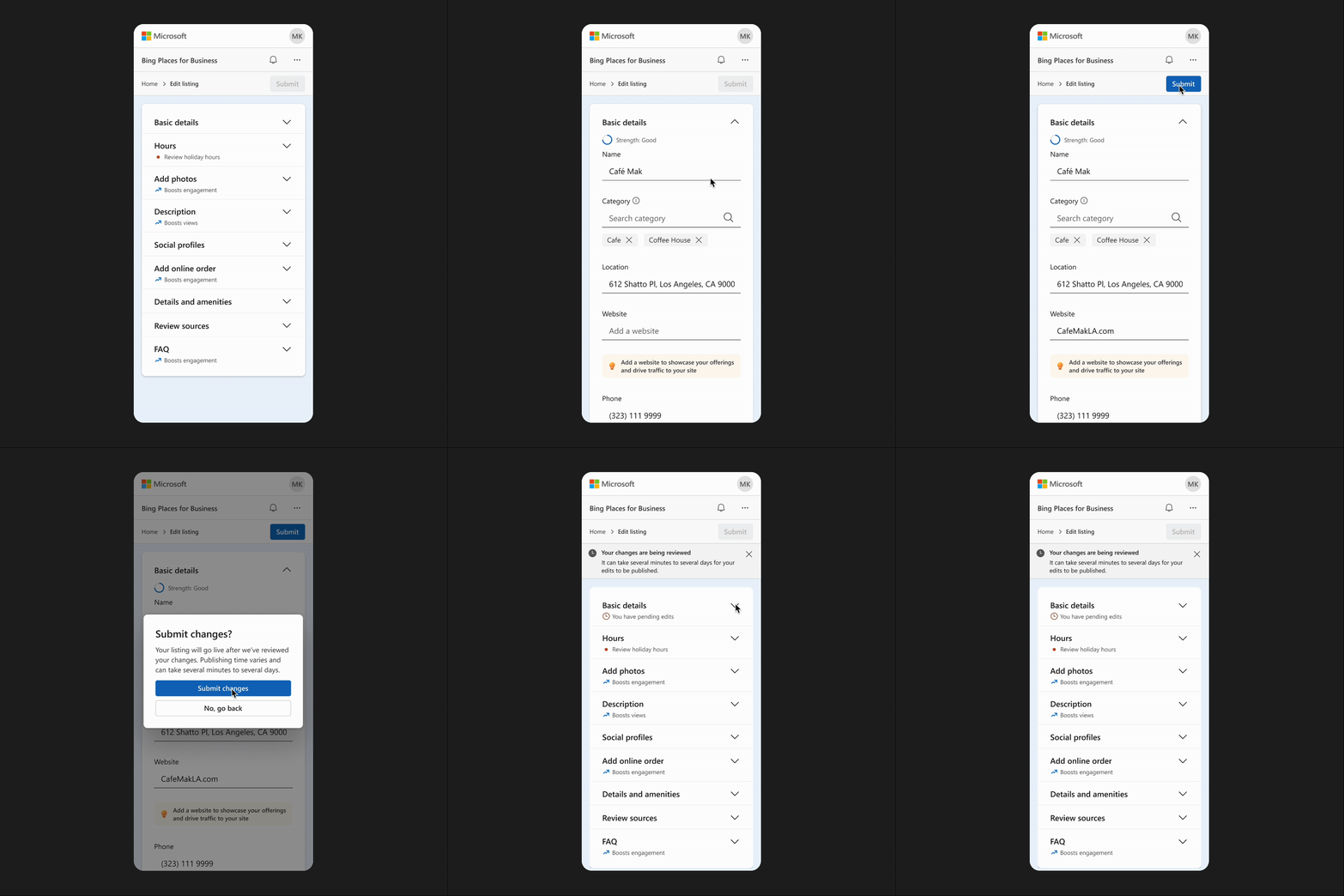
Ensuring usability across all device sizes. Because business owners frequently make small updates on the go, we ensured the portal delivered a consistent, reliable experience across all screen sizes, from desktop to mobile.
Opportunities
Opportunities to improve Bing Places for Business, post MVP.
Boost product awareness
4 out of 5 usability participants were not aware of Bing Places for Business before the study. There are opportunities to emphasize claiming or managing a listing by proactively notifying business owners to claim their businesses.
Provide opportunities for personalization
Business owners expressed a desire to more accurately represent their businesses through rich data like highlighted reviews, before/after photos, special posts, and more.
AI/Copilot integration
AI creates opportunities for even more personalized support and listing enhancement. It could surface insights based on similar businesses, highlight relevant target audiences, and offer tools that help owners generate tailored posts and content.