Bing Design System: modernizing, scaling, and future-proofing visual evolution
I was part of a small design team that worked on rebuilding the Bing Design System, which defines the visual guidelines and coherence of a search engine with ~100 million daily active users.
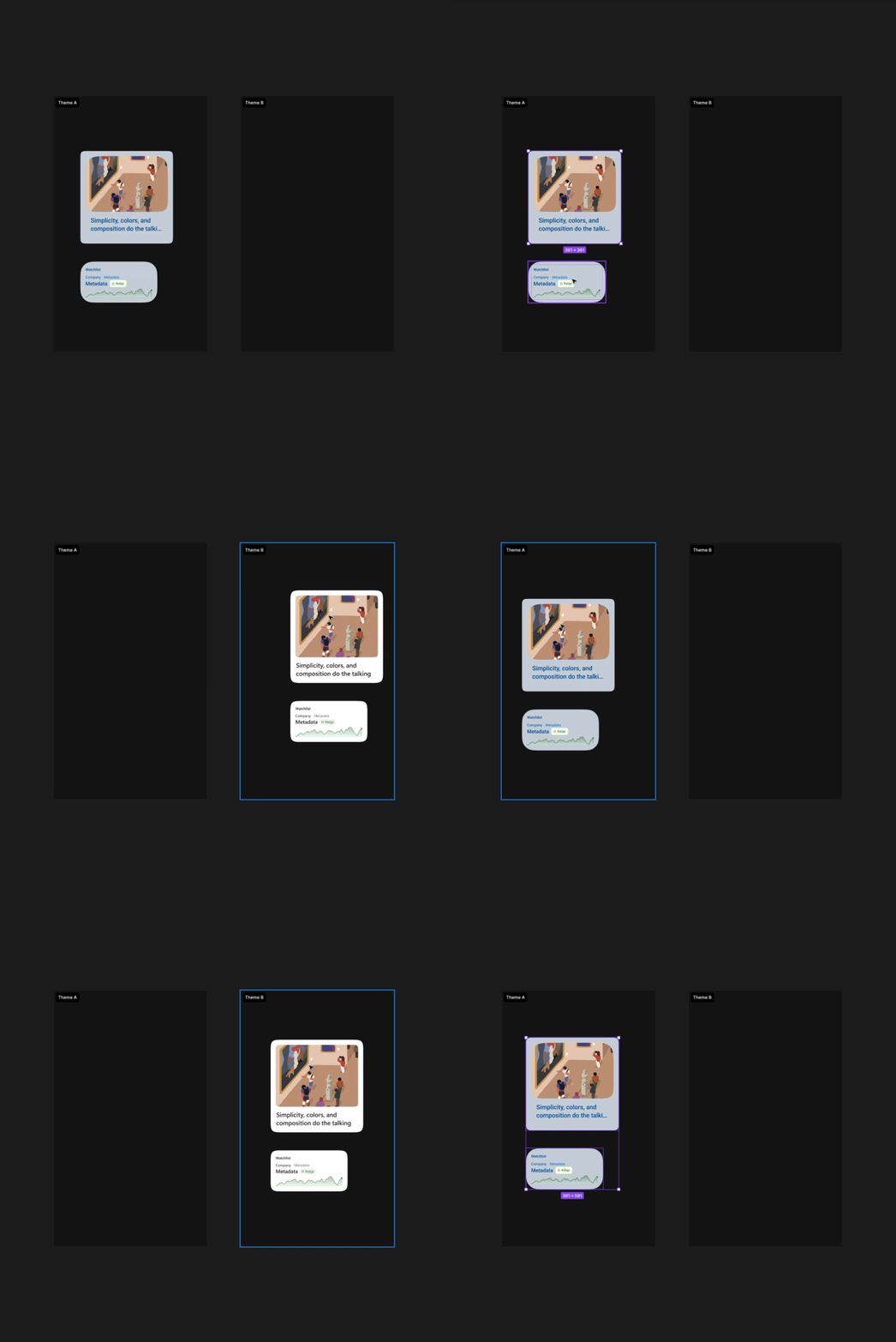
Semantic tokens enable scaling of future changes to the design system.
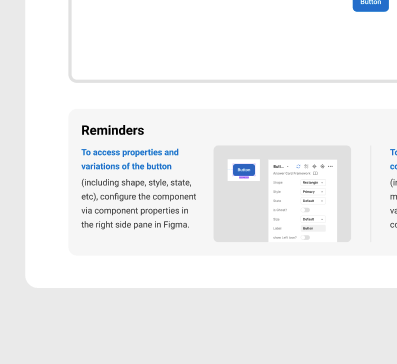
Component documentation and building.
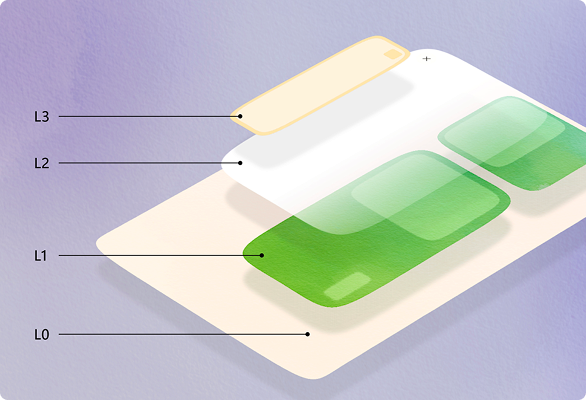
Simplified hierarchy principles.
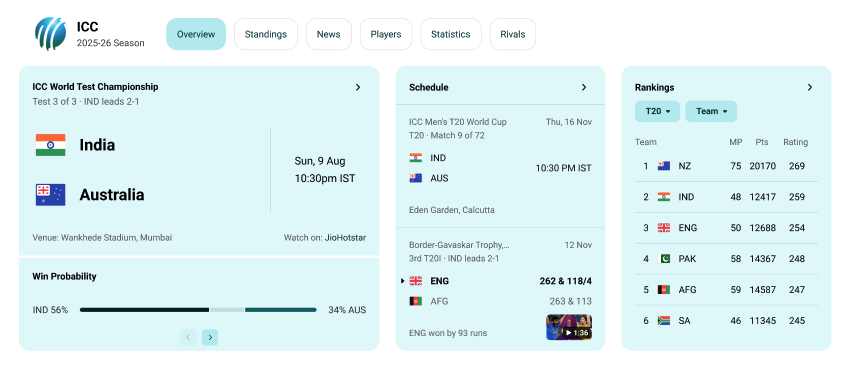
Enabling teams to build modular search answers.
Project type
Design system
Skills
Design systems, component architecture, design tokens
Team
1 product manager, 8-10 engineers, 4 designers
Role
I was responsible for:
• Improvement of the Bing Human Interface Guidelines
• Intake of new patterns and component needs from designers across Bing
• Creation of detailed, dev-ready specs for common controls
• Providing coherence input and approval for designers across 35+ answer segments
Problem
Bing.com is a search engine with 100 million daily active users, 900 million daily search queries, and $12.2 billion in annual advertising revenue.
As of mid 2024, it also had a design system that was visually outdated and lacked actual, coded components. That meant that search engine results used across 35+ search engine search segments used custom builds for even basic UI elements like buttons, input fields, and colors.
On top of this, the latest design system guidance, which was meant to help teams onboard to a modernized visual system, was confusing and outdated.
Lastly, while there was a medium-term goal of onboarding all search engine answers to the latest visual system, Bing, as part of Microsoft AI, needed to eventually align with a newer Microsoft AI design system that is used for a host of products under Microsoft AI, like Copilot.
Like many other products with cross-product dependencies and a need to maintain its revenue, Bing and its design system was a complex project with many moving parts.
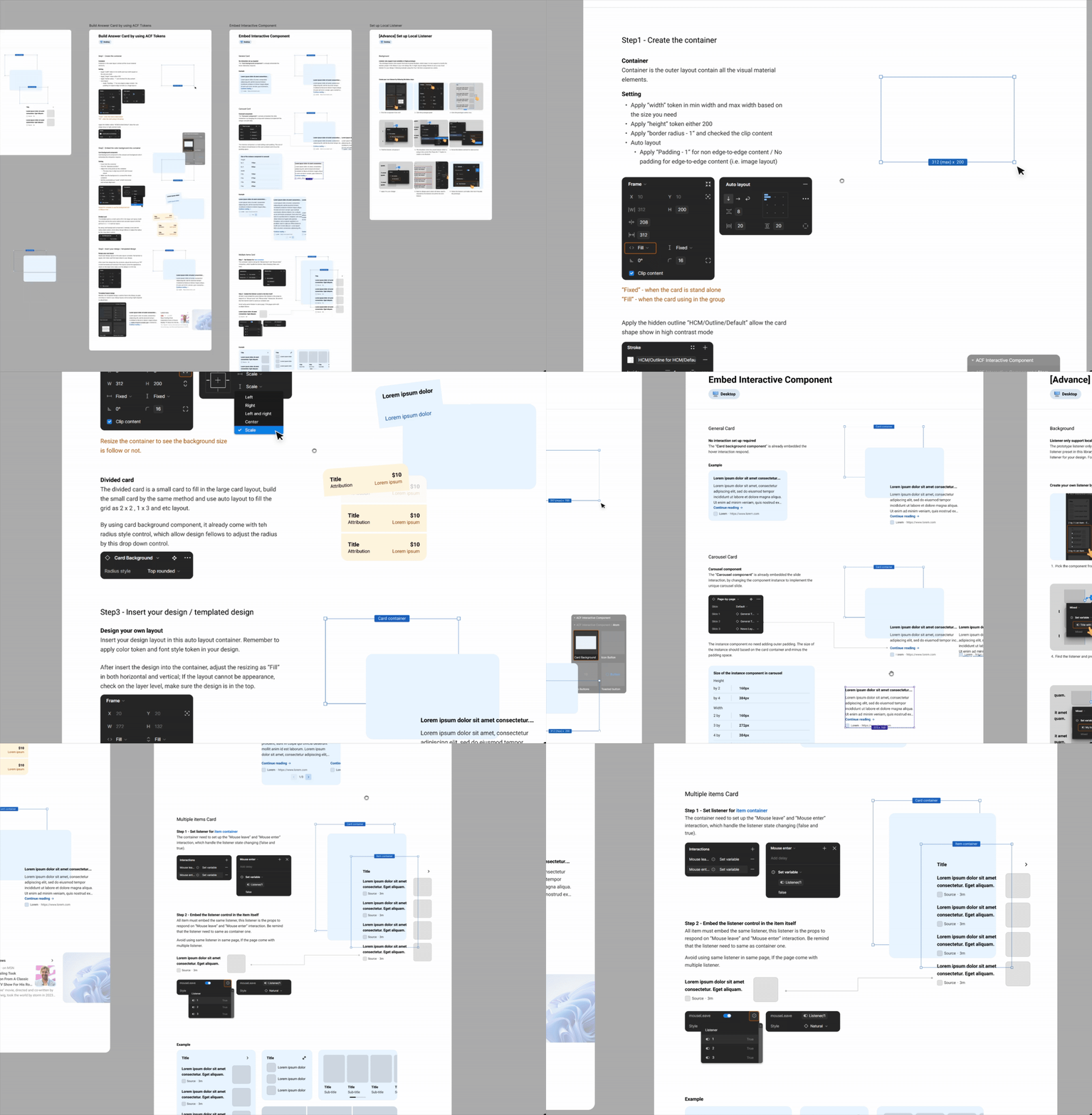
Design system guidelines were complex and disorganized, making it difficult to understand how to design in Bing.
Goal
Update all of Bing with a new, modernized visual design system. This consisted of a few major steps.
Bring actual design components into code.
Meanwhile, create a comprehensive Bing Design System guidance so that designers and engineers across 35+ search segments understand the new design principles and how to onboard accordingly.
Help 35+ answer segments onboard legacy answers to the updated design system, and enforce design coherence via reviews and iterations with said teams.
Create and onboard all designers and engineers onto comprehensive semantic token system, as a strategic stepping stone for visual alignment with the rest of Microsoft AI.
1 / Bring actual design components into code.
One of the most surprising things about the Bing Design System was that prior to mid 2024, due to lack of past investment, reusable UI controls were never implemented in Bing. Designers could drag and drop some reusable components into designs, but when it came to building search engine answers, developers built everything from scratch, leading to a very inefficient, unscalable process.
I owned the end-to-end process of preparing UI components for engineering implementation - across both existing design components and net-new patterns requested by partner teams.
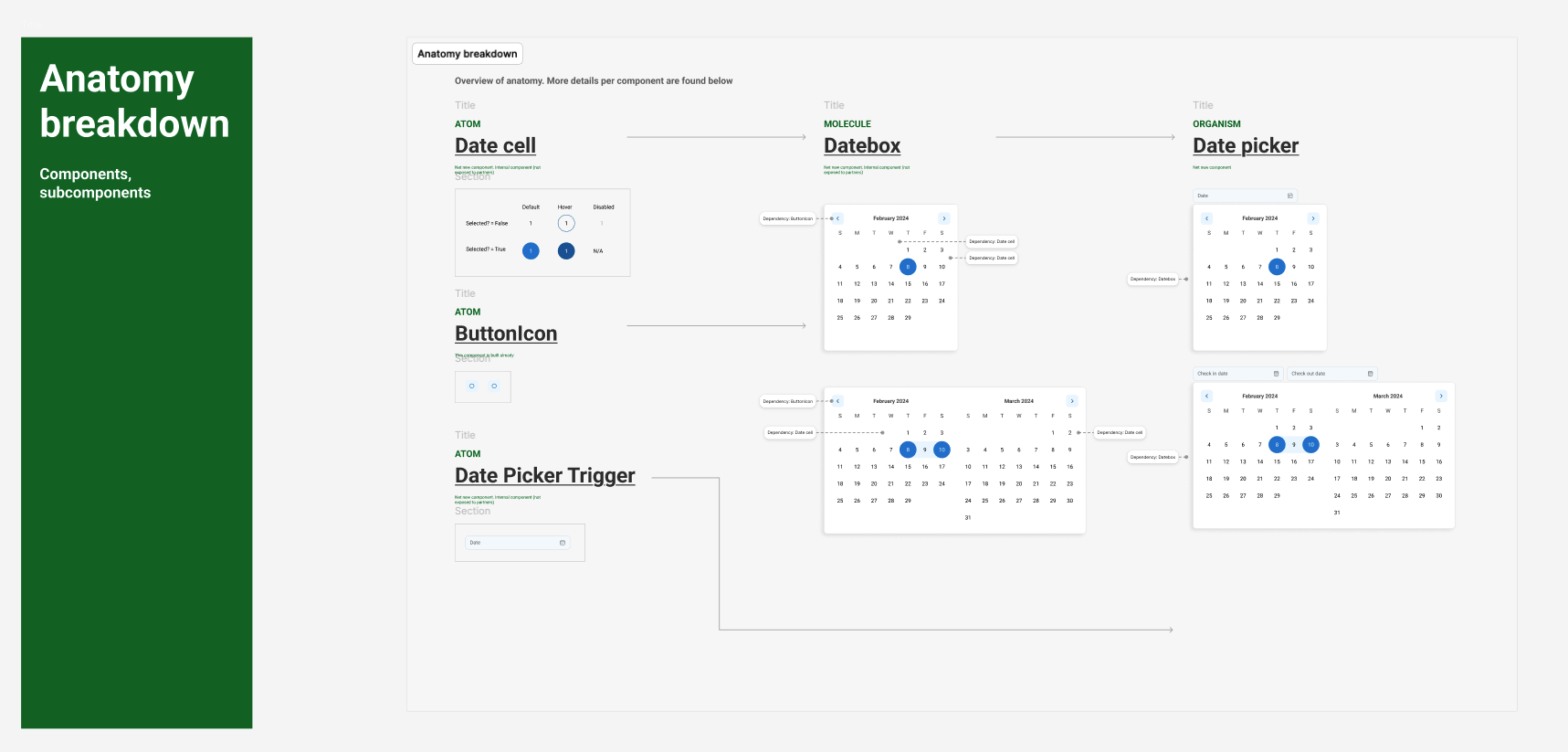
I ensured that developers built components atomically by structuring the design guidance accordingly.
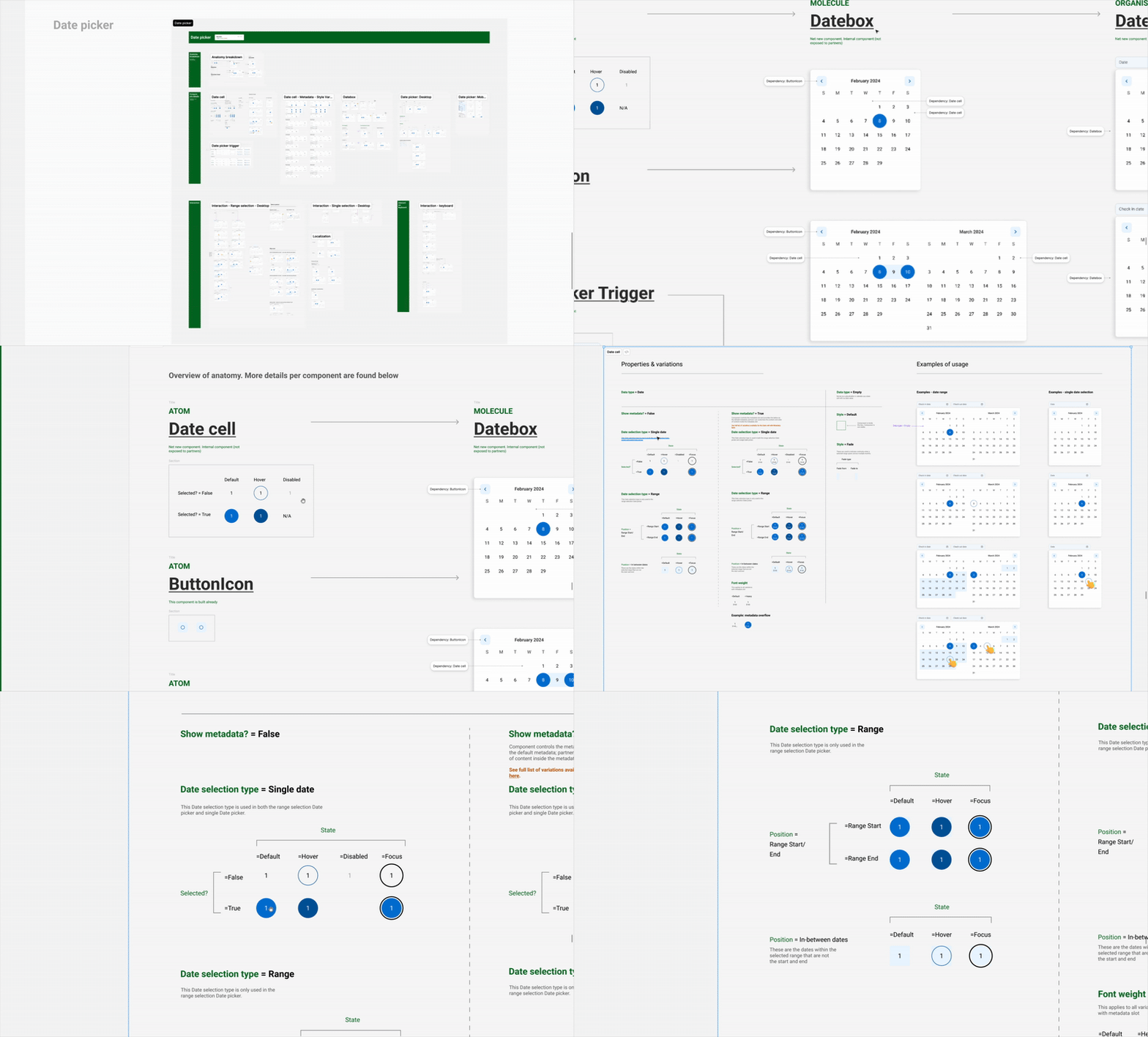
I provided guidance for properties, states, and behavior for every atom, molecule, and organism that formed a component.
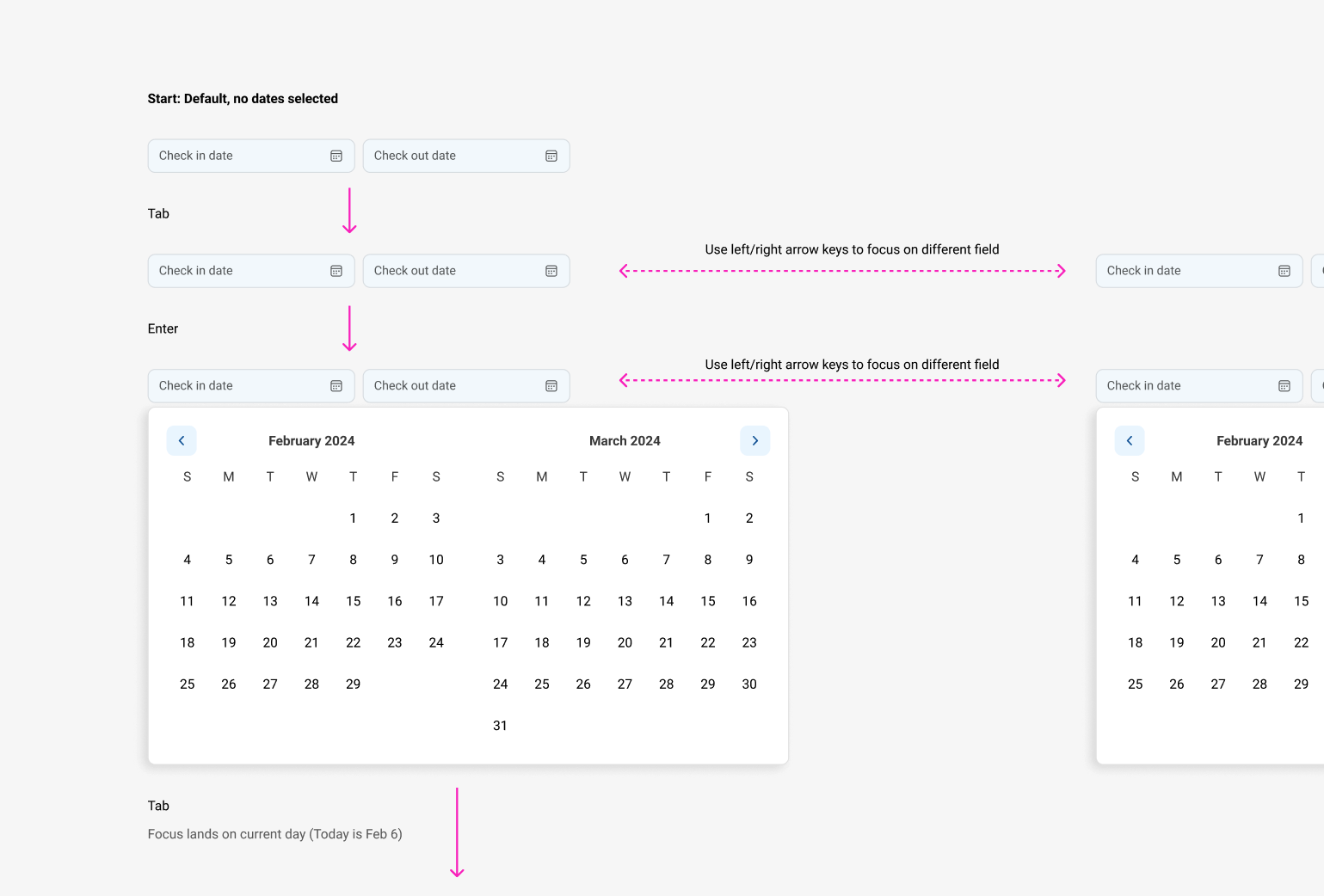
Some components required detailed interactivity guidance, including keyboard guidance to ensure accessibility.
I was really impressed by the detail in component designs. I was able to pick up the attributes directly from Figma, and most of the time it just worked.
- Rayner D'Souza, Senior Software Engineer at Microsoft
When engineers began experimenting with using AI to implement some controls, I partnered closely with them to figure out how to structure component design guidance in a way that the models could easily understand.
What we learned was that while the models generally understood discrete guidance, it had trouble making sense of separate pieces of documentation as a whole. We clarified this for the model by creating a table of contents, with each section designated by the node id in Figma. We also removed noise in the Figma file (ie., unnecessary frames that may have been helpful design scaffolding, but served as extraneous and confusing information for the AI).
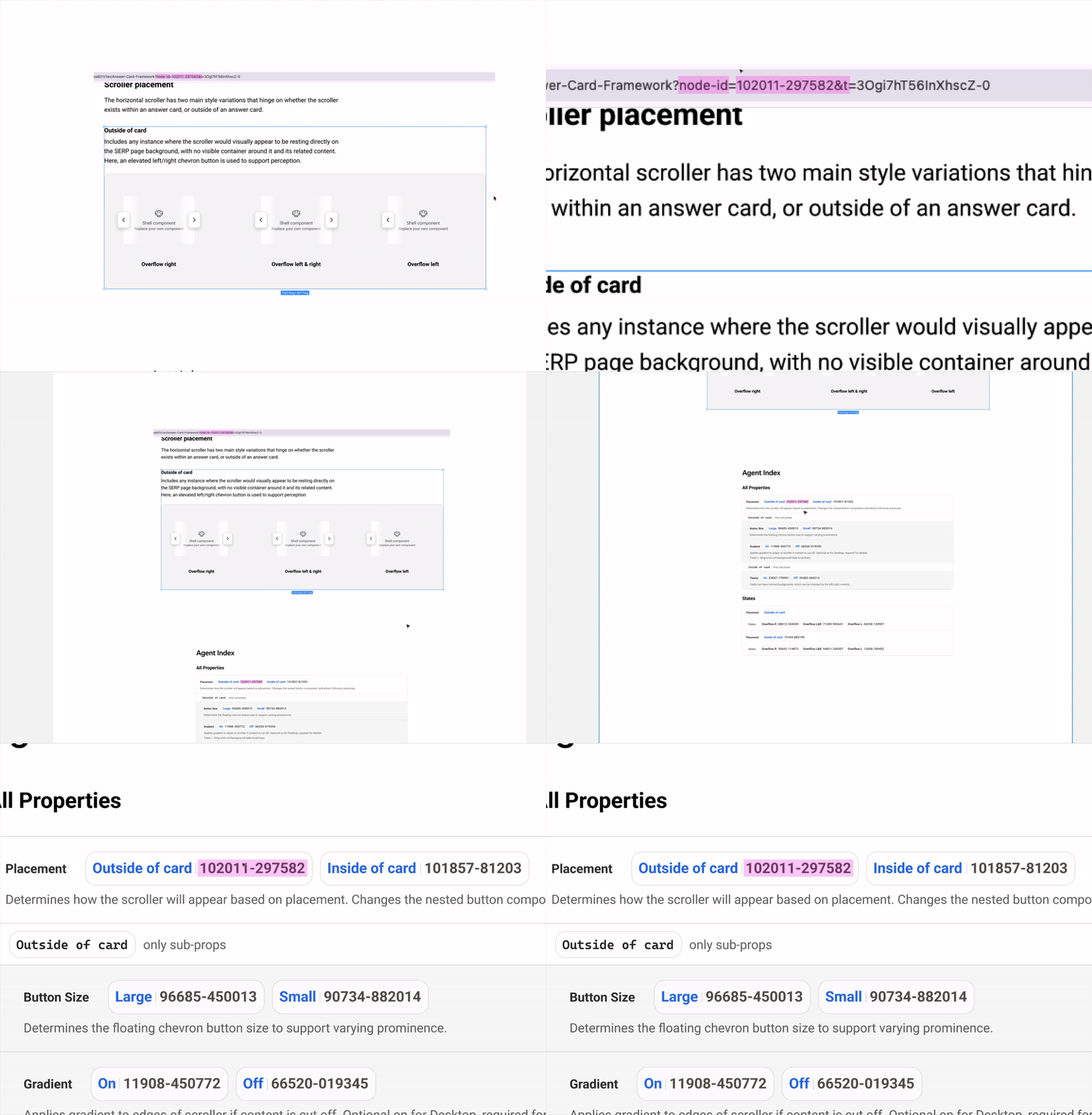
We found that AI agents understood design documentation better when we pointed them to the node ids in Figma, which is the identifier for the specific frame in Figma.
2 / Create clearer, more comprehensive design system guidance
Designers and engineers across 35+ search segments were being asked to onboard to the latest visual design system for Bing, but much of the guidance was outdated, incomplete, and confusing - it needed a refresh.
I owned the refresh and maintenance of the Bing Design System documentation and guidelines.
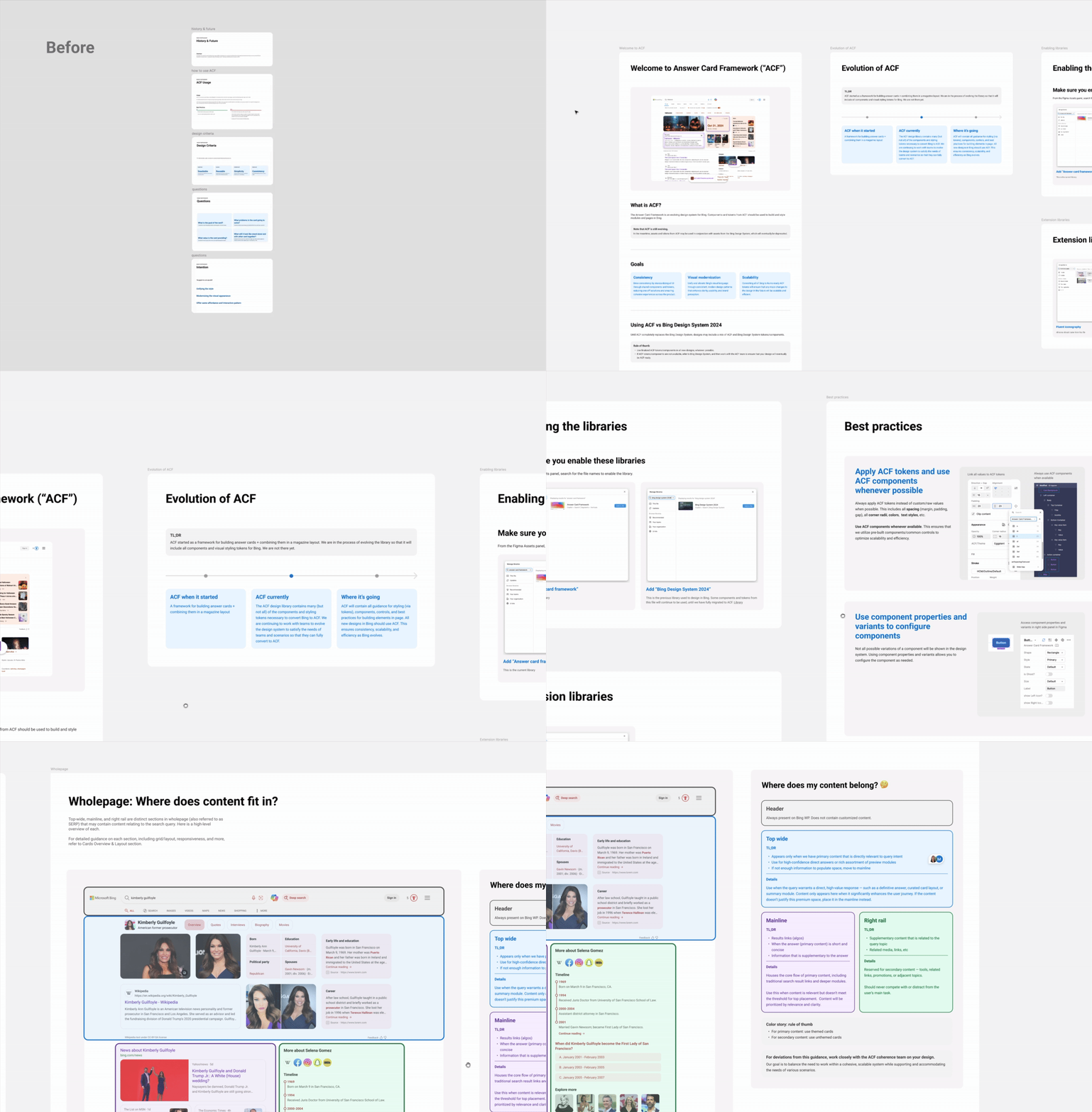
Bing is a complex product with a multitude of answer scenarios, so it was important to explain the evolution and state of the current design system, and how to get started when designing in Bing.
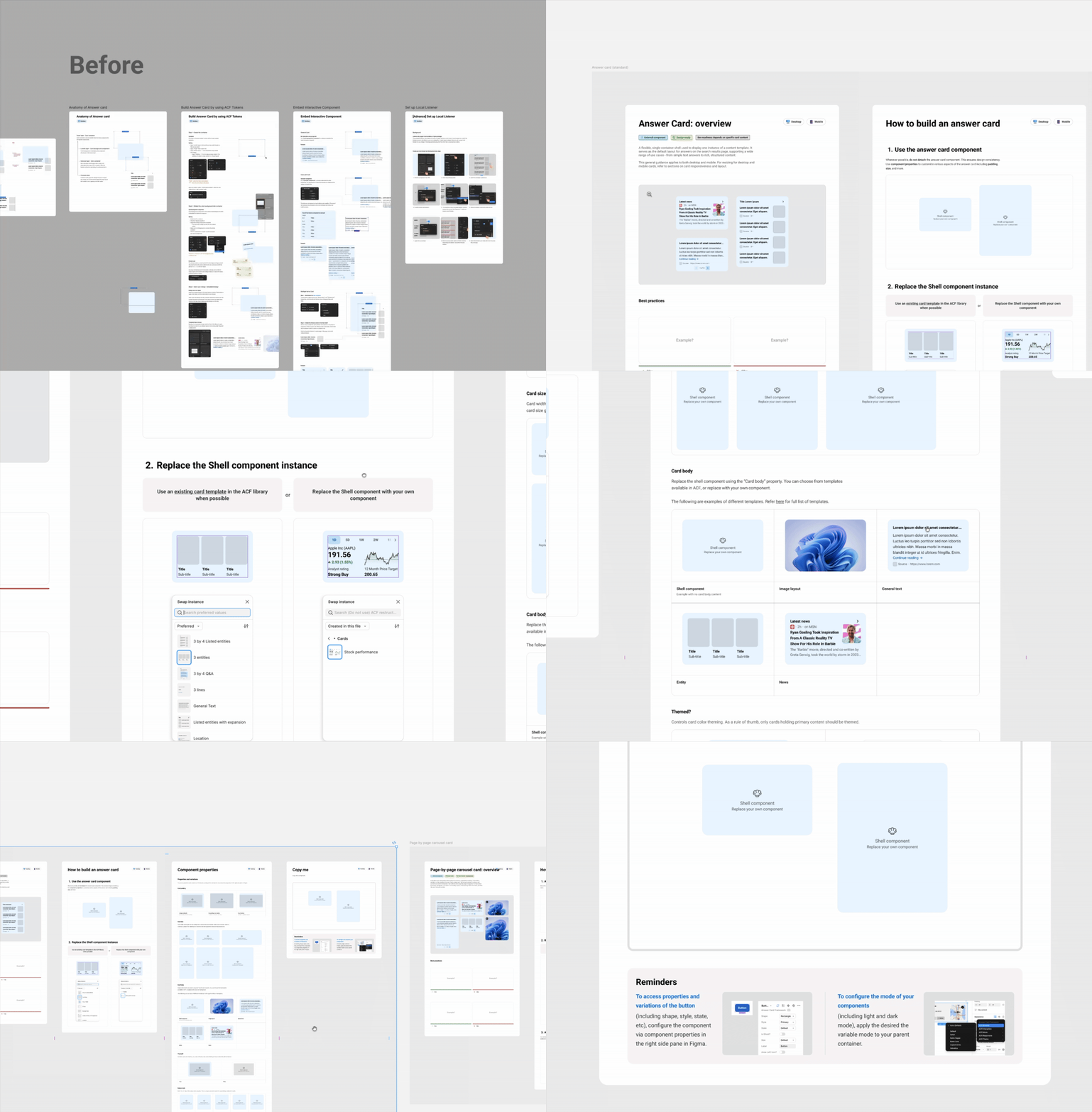
An "answer card" is a basic bulding block of search query answers, but the previous guidance for building answer cards was complicated and didn't match how most designers used Figma intuitively. I created a simpler way for designers to use answer cards, so they could start designing and building concepts quickly.
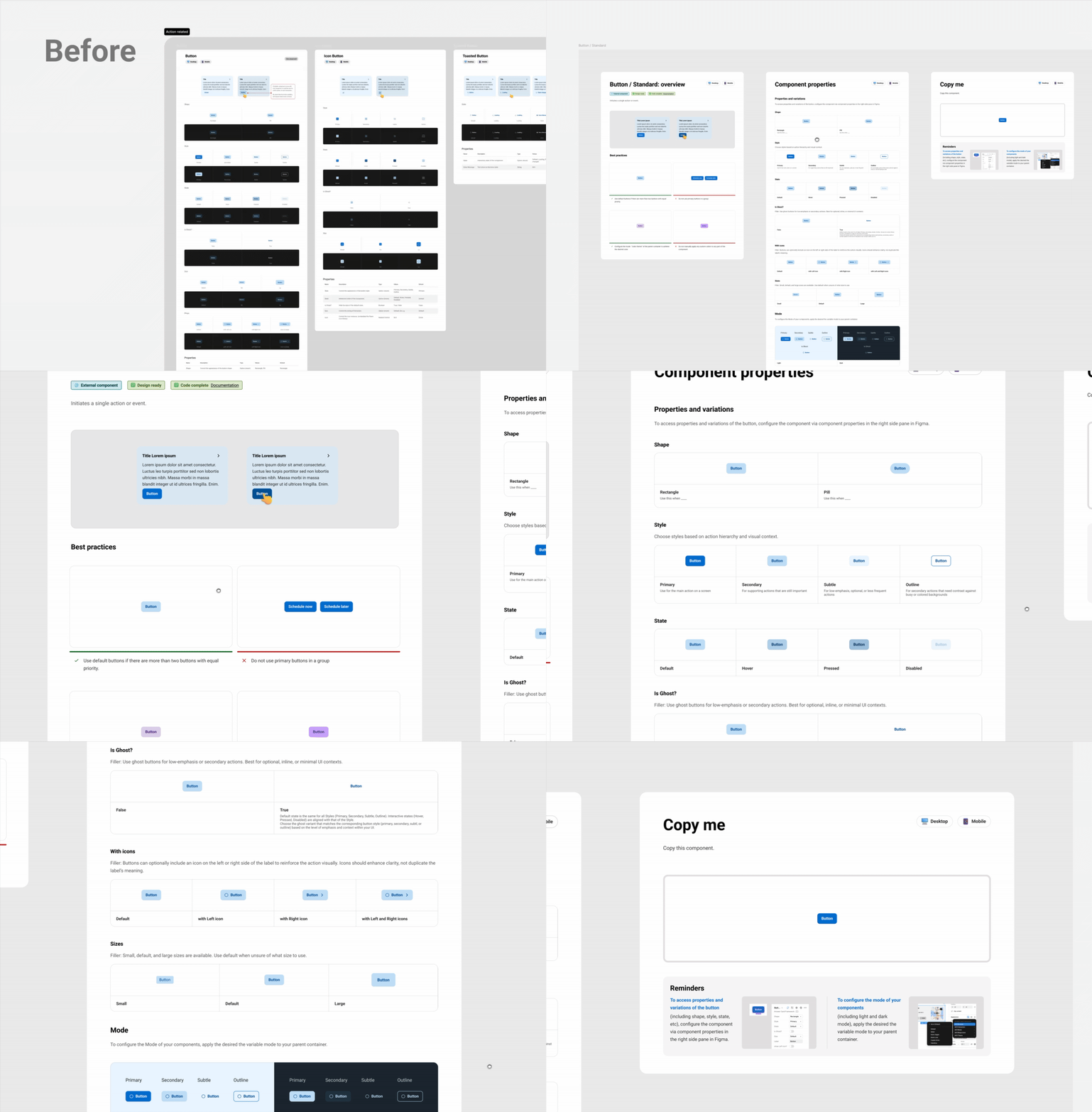
To help designers understand when and how to use components, I added best practices and explained each component property.
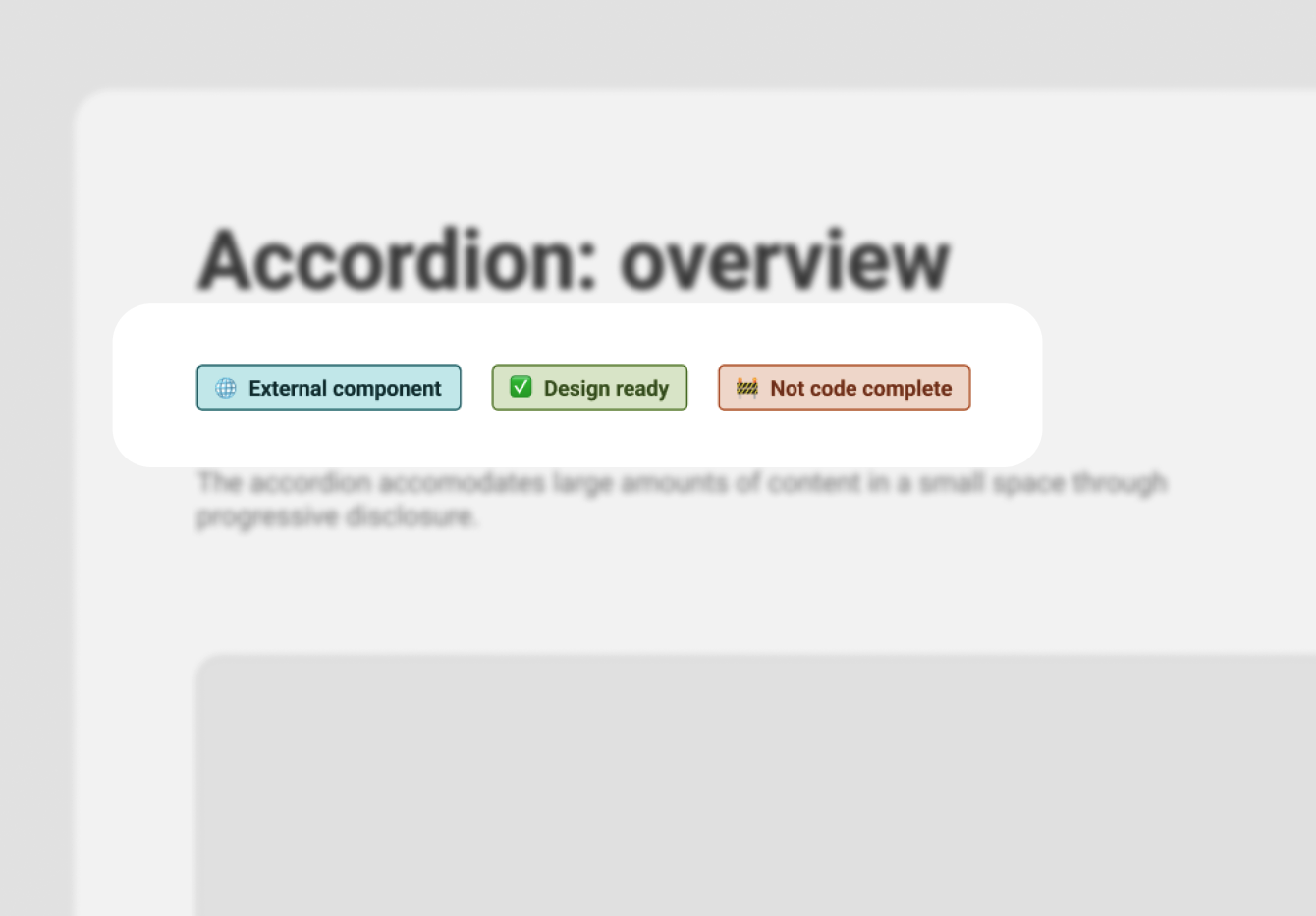
Because we were still building the design system, we needed to make it easy to understand which components were available for designers and devs.
3 / Design system review for Bing search engine design updates
Design coherence was a huge part of the day-to-day of the design systems team. We reviewed and provided feedback for design teams updating all of Bing to the latest design system. We needed to balance visual coherence with the unique needs of each search answer, and ensure that teams could meet engagement metrics without depending on cluttered, attention-grabbing UI.
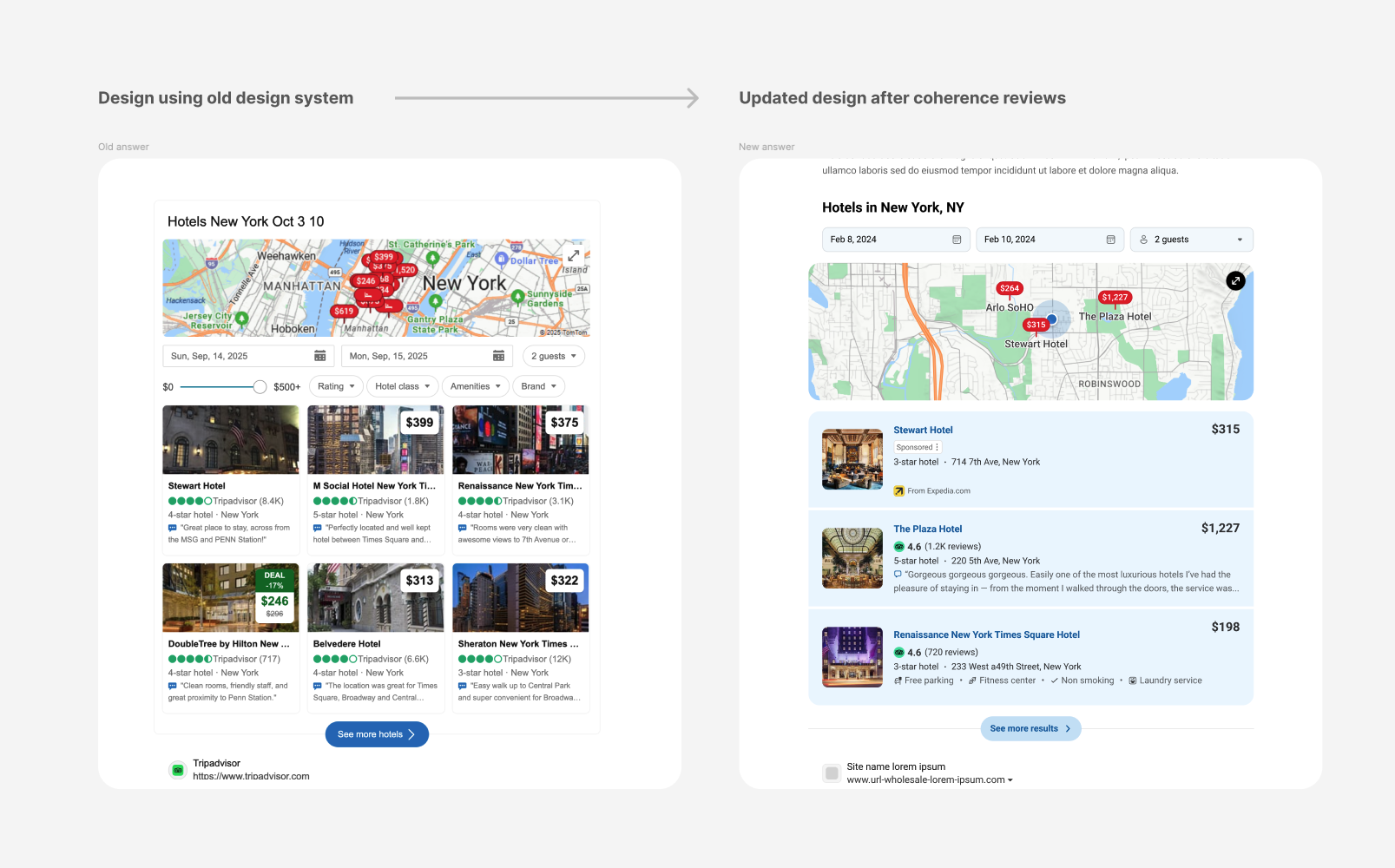
35+ search segment teams, each of which owns a number of search answer scenarios within Bing, updated their answers to align to modernized design guidelines. We consistently reviewed and provided feedback and signoff for 30+ designers.
4 / Transition to semantic tokens as a stepping stone towards alignment with Microsoft AI
Historically, Bing's design token naming was left intentionally non-prescriptive so that designers could use tokens flexibly and as needed for their use case. However, a strategic goal is to eventually align Bing with a new Microsoft AI design system. While monetization concerns meant that we would not do so for now, we created 300+ semantic design tokens and onboarded all teams to them, so that when time came to transition to the Microsoft AI design system, we could simply 'flip the switch'.
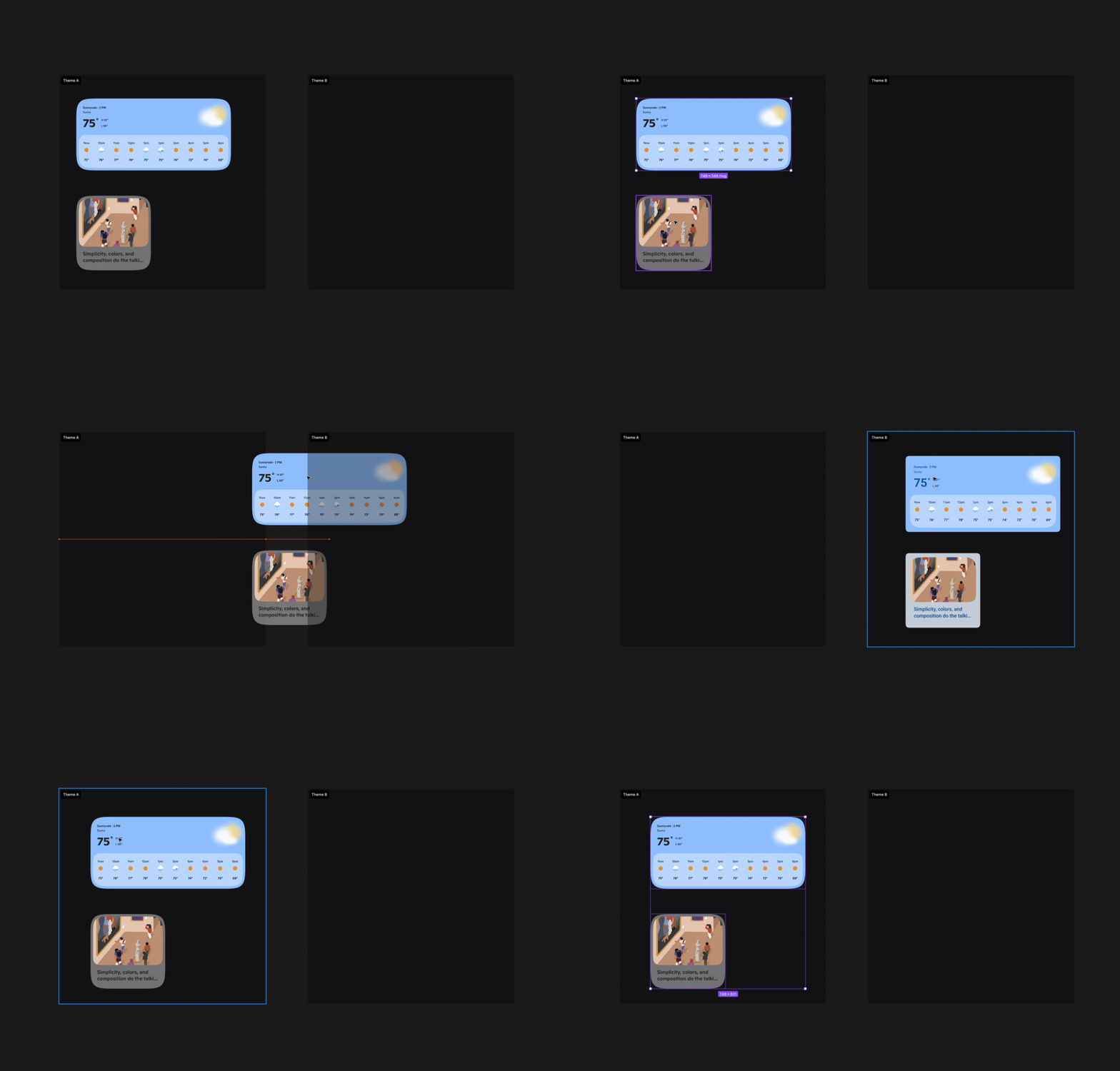
Semantic tokens enable the design sysem to scale. It makes it easier to evolve the visual system in the future without breaking things.
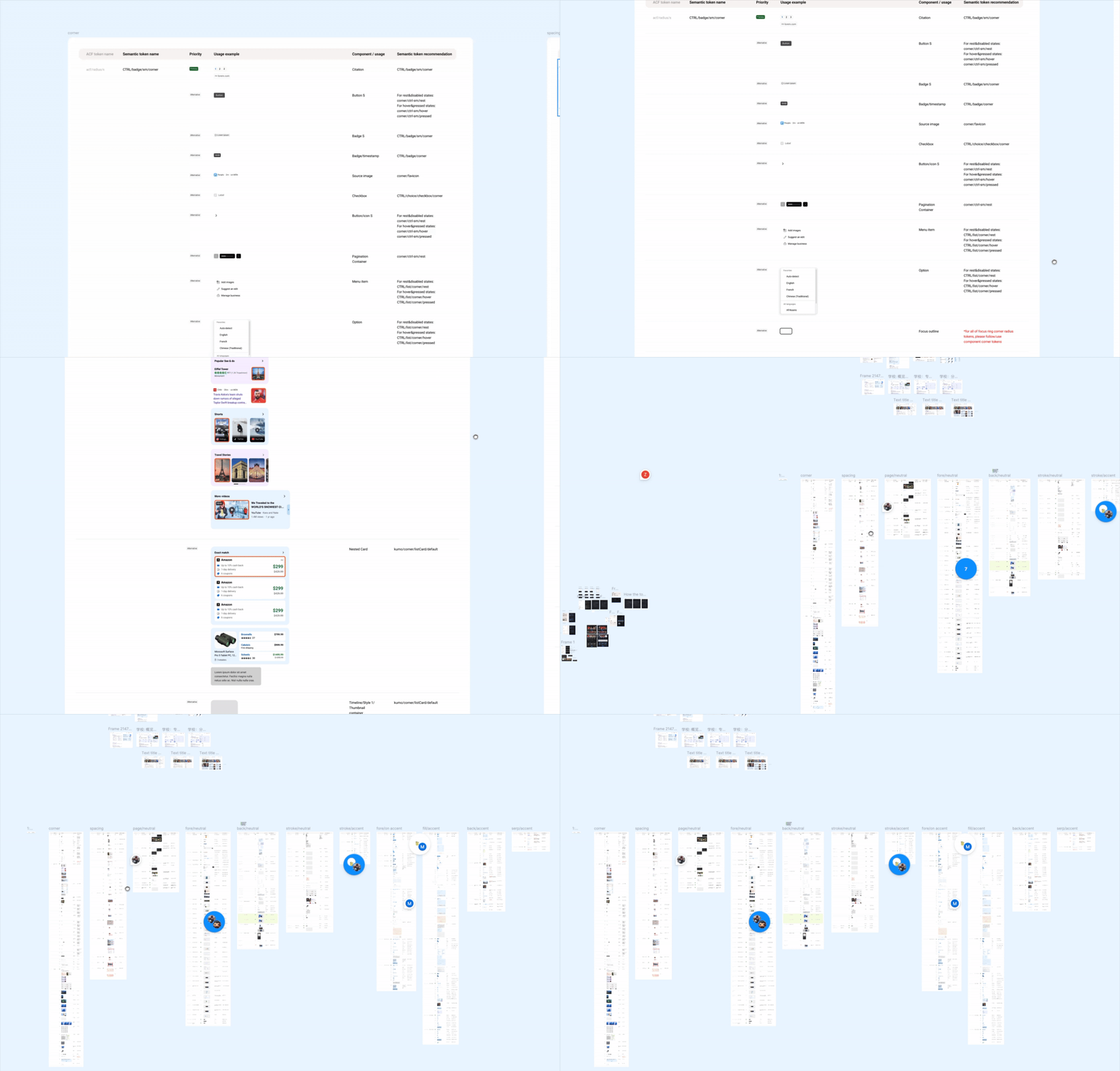
Transitioning from non-semantic to semantic tokens meant that for each non-semantic token that existed, we needed to audit its usage and create a semantic token for each of its discrete use cases.
Outcomes
A clearer, unified HIG
Designers across Bing felt more confident in using the design system and were able to design more quickly after we updated the HIG. We saw a clear drop in basic design-system questions, which allowed us to focus on supporting more nuanced, complex design questions.
60+ design components
The team is continuously vetting the need for new patterns and components to enable teams across Bing to design in a unified, scalable way.
20+ coded components
And counting. The team is also continuously improving the workflow of AI-assisted component creation, enabling them to build faster.
Semantic tokens as a foundation for visual evolution
Now that all of Bing uses semantic tokens, Bing can experiment quickly with broad visual updates by changing token values, rather than going through an impossibly manual process. (Yay!)